Where we left off
In Episode 1 we cheated. We pasted Nimbus’s refund policy into the prompt by hand and watched the model answer from it. That proved the core idea of RAG — but it doesn’t scale. Nimbus has dozens of help articles, a refund policy, an FAQ, and a features guide. You can’t paste all of that into every prompt (it wouldn’t fit, and it would cost a fortune).
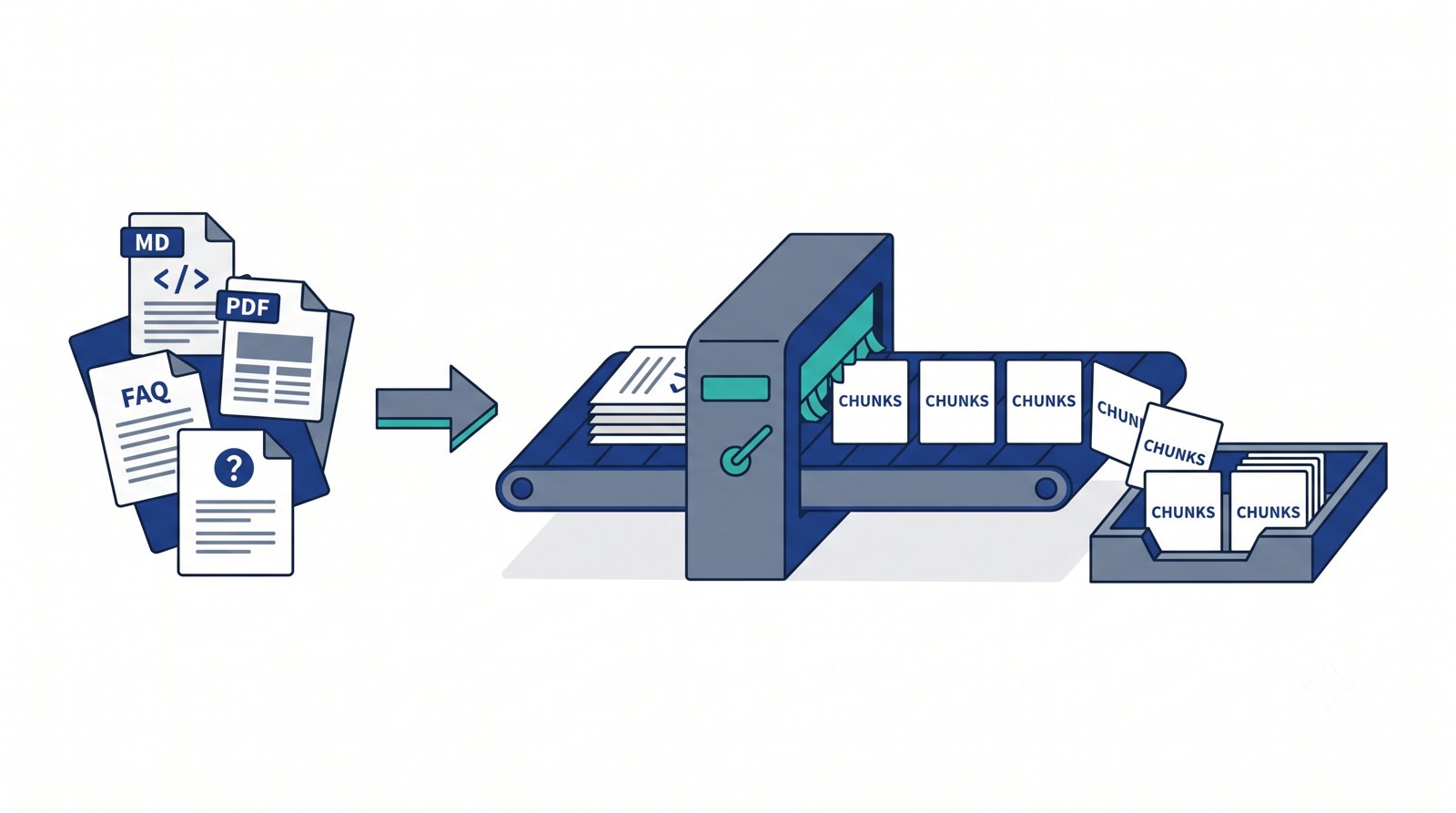
So before the bot can retrieve the right passage automatically, we have to do the unglamorous prep work: get all those documents into a clean, searchable form. That’s this episode. It’s Phase 1, steps 1 and 2 from our architecture diagram — load the documents and chunk them. No AI, no API calls yet — just PHP turning messy files into tidy passages.
The problem with whole documents
Your instinct might be: “Why not just store each full document and search across them?” Two reasons.
First, size limits. In the next episode we’ll convert text into embeddings (numbers that capture meaning). The models that do this can only read a limited amount of text at once — and even when a whole document fits, squashing 2,000 words into a single set of numbers blurs everything together. A page covering refunds, shipping, and account settings becomes one muddy average of all three topics. When a customer asks specifically about refunds, that muddy average is a poor match.
Second, precision. RAG works best when you retrieve small, focused passages. If a customer asks “how long do refunds take?”, you want to hand the model the two sentences that answer it — not a 10-page manual where those sentences are buried on page 7. Small passages mean sharper retrieval and cheaper, cleaner prompts.
The solution to both problems is chunking: slicing each document into small, self-contained passages before we do anything else.
💡 New term — “token”: AI models don’t count characters or words; they count tokens. A token is a chunk of text roughly ¾ of a word — so “refund” is one token, but “unbelievable” might be two or three. As a rough rule for English, 1 token ≈ 4 characters, or about 750 words ≈ 1,000 tokens. You’ll see token limits everywhere in AI work, which is exactly why we chunk: to keep each passage comfortably within them.
What is a “chunk”?
A chunk is just a small slice of a document — typically a few sentences to a paragraph or two. Instead of one giant “refund-policy.md”, we end up with several bite-sized pieces:
- Chunk 1: “Customers may request a full refund within 14 days of purchase…”
- Chunk 2: “Refunds are issued to the original payment method within 5–7 business days…”
- Chunk 3: “Duplicate charges are always refunded in full…”
Each chunk can be embedded, stored, and retrieved on its own. When someone asks about duplicate charges, we can fetch just Chunk 3.
Two settings control how we slice:
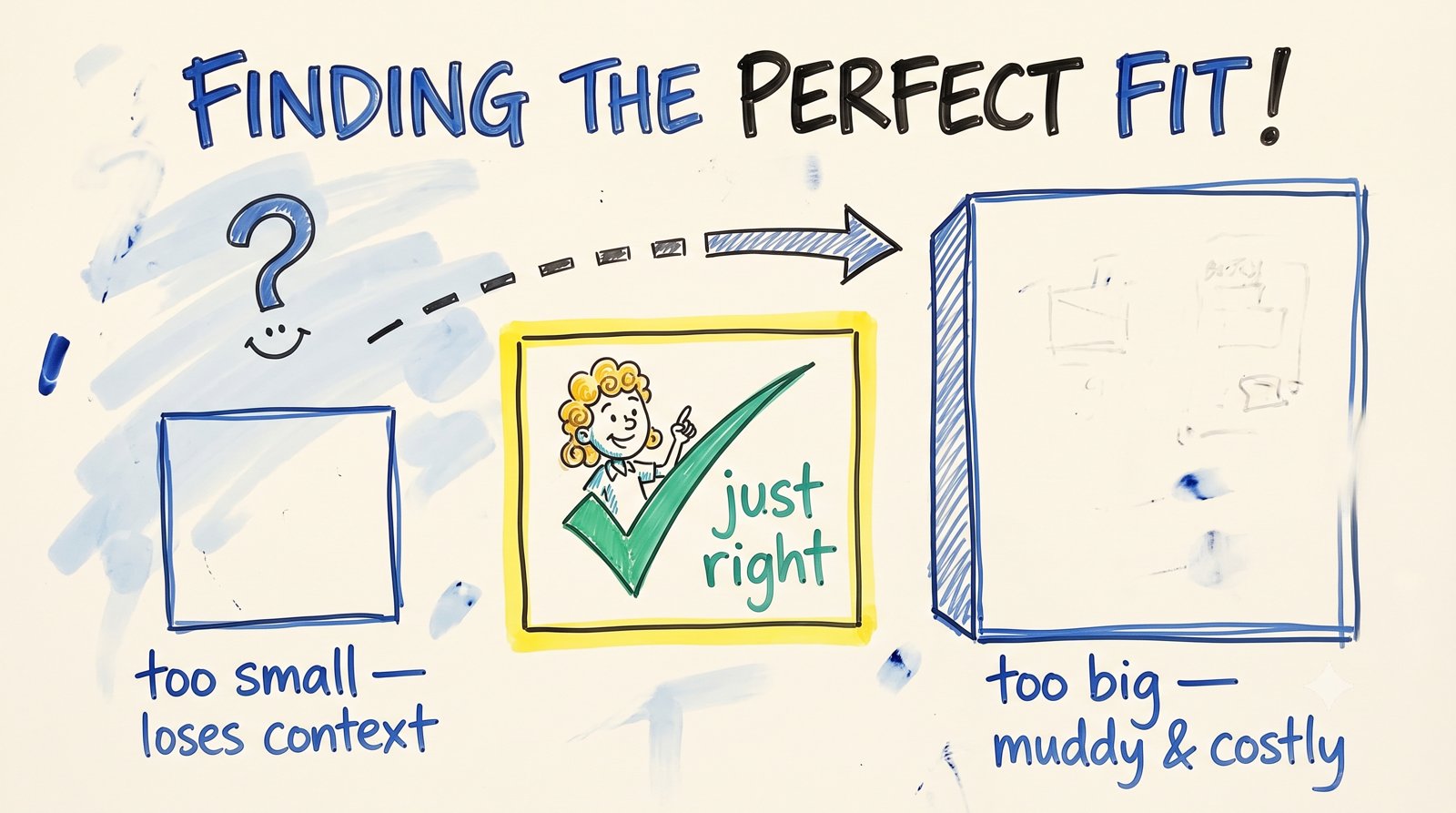
Chunk size — how big each piece is (we’ll measure in characters for simplicity). Too big, and you’re back to muddy, unfocused passages. Too small, and a chunk loses the context it needs to make sense on its own (“within 14 days” — 14 days of what?). There’s a Goldilocks zone, usually a few hundred to ~1,000 characters.
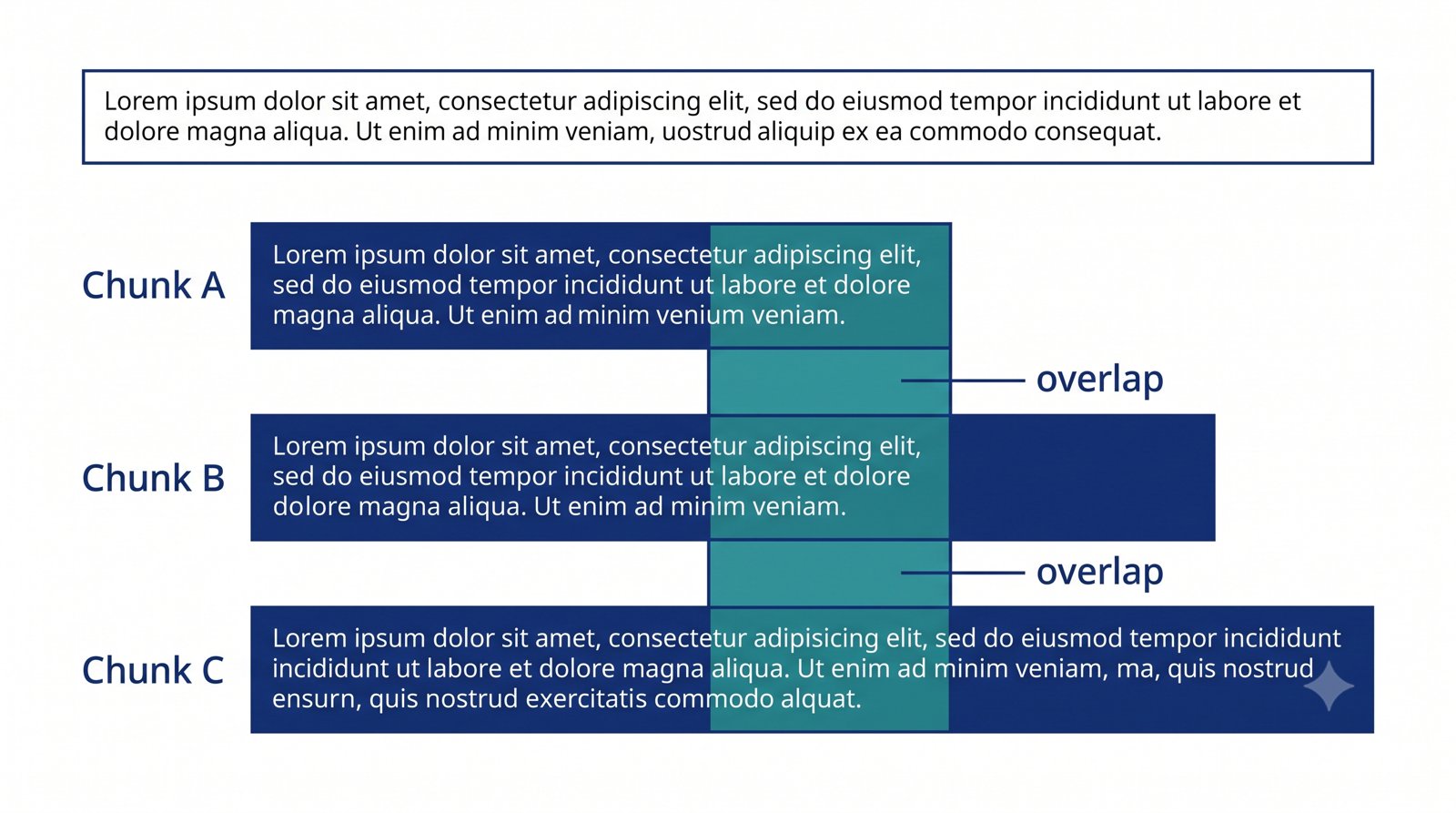
Overlap — how much text each chunk shares with the one before it. Why share? Because a hard cut can split a sentence or idea right down the middle. If chunk A ends “…you may request a refund within” and chunk B starts “14 days of purchase,” neither chunk answers the question alone. By letting chunks overlap by a bit (say, the last 150 characters of A also start B), important ideas that straddle a boundary survive in at least one complete chunk.
⚠️ Gotcha: There’s no universally “correct” chunk size — it depends on your content. Short FAQ answers chunk differently than long policy documents. We’ll start with sensible defaults (800 characters, 150 overlap) and, at the end, you’ll experiment to feel the trade-off yourself.
Building the ingestion script
Let’s build it. This episode’s folder is episode-02/, and here’s the shape:
nimbus-helpdesk/
└── episode-02/
    ├── knowledge-base/
    │   ├── refund-policy.md
    │   ├── faq.md
    │   └── getting-started.pdf
    ├── loader.php
    ├── chunker.php
    └── ingest.php
The sample knowledge base
First we need documents. Create a knowledge-base/ folder and drop in a couple of Markdown files (we’ll add a PDF too, to prove we can read more than one format). Here’s a trimmed refund-policy.md — keep your real ones as long as you like:
# Nimbus Refund Policy

Customers may request a full refund within 14 days of purchase. Refunds are
issued to the original payment method within 5–7 business days.

Duplicate charges are always refunded in full, regardless of the 14-day window.
If you were billed twice for the same subscription, contact support and we will
reverse the extra charge immediately.

Annual plans are eligible for a prorated refund after the 14-day window at the
company's discretion.
Loading and cleaning documents
Documents arrive messy: Markdown has # and * symbols, PDFs come with odd spacing. The loader reads a file and returns clean plain text. For PDFs we’ll use a small, popular PHP library called smalot/pdfparser.
💡 New tool — Composer: Composer is PHP’s package manager (like npm for Node). It downloads reusable libraries so you don’t write everything from scratch. Install it once from getcomposer.org, then inside
episode-02/run:
bash

composer require smalot/pdfparser
This creates a
vendor/folder and an autoloader we include with one line.
<?php
// loader.php — load a document and return clean plain text

require __DIR__ . '/vendor/autoload.php';
use Smalot\PdfParser\Parser;

function loadDocument(string $path): string {
    $ext = strtolower(pathinfo($path, PATHINFO_EXTENSION));

    $raw = match ($ext) {
        'md', 'txt' => file_get_contents($path),
        'pdf'       => (new Parser())->parseFile($path)->getText(),
        default     => throw new RuntimeException("Unsupported file type: .$ext"),
    };

    return cleanText($raw);
}

function cleanText(string $text): string {
    // Normalize line endings across OSes
    $text = str_replace(["\r\n", "\r"], "\n", $text);

    // Strip common Markdown markers so the model sees plain content
    $text = preg_replace('/^#{1,6}\s*/m', '', $text);   // heading hashes
    $text = preg_replace('/[*_`>]/', '', $text);         // emphasis, code, quote marks

    // Tidy whitespace: collapse runs of spaces and blank lines
    $text = preg_replace('/[ \t]+/', ' ', $text);
    $text = preg_replace('/\n{3,}/', "\n\n", $text);

    return trim($text);
}
Nothing exotic here: match picks a reader based on the file extension, and cleanText scrubs out formatting noise so what we chunk is the actual content.
The chunker
Now the heart of the episode. We split cleaned text into overlapping chunks. To avoid cutting mid-sentence, we split into sentences first, then pack sentences into a chunk until it reaches the size limit — carrying a little overlap into the next chunk.
<?php
// chunker.php — split text into overlapping, sentence-aware chunks

function chunkText(string $text, int $maxChars = 800, int $overlap = 150): array {
    $text = trim($text);
    if ($text === '') return [];

    // Rough sentence split: break after . ! ? followed by whitespace
    $sentences = preg_split('/(?<=[.!?])\s+/', $text);

    $chunks  = [];
    $current = '';

    foreach ($sentences as $sentence) {
        $sentence = trim($sentence);
        if ($sentence === '') continue;

        // Would adding this sentence overflow the chunk? If so, close it off.
        if ($current !== '' && mb_strlen($current) + mb_strlen($sentence) + 1 > $maxChars) {
            $chunks[] = trim($current);
            // Start the next chunk with the tail of this one (the overlap)
            $current = mb_substr($current, -$overlap);
        }

        $current = $current === '' ? $sentence : $current . ' ' . $sentence;
    }

    if (trim($current) !== '') {
        $chunks[] = trim($current);
    }

    return $chunks;
}
Read it slowly: we keep adding sentences to $current until one more would push it past $maxChars. At that point we save the chunk and seed the next one with the last $overlap characters, so context carries across the boundary.
Tying it together
ingest.php walks the knowledge base, loads and chunks every file, tags each chunk with where it came from, and saves everything to chunks.json — the hand-off to Episode 3.
<?php
// ingest.php — load every doc, chunk it, save chunks.json

require __DIR__ . '/loader.php';
require __DIR__ . '/chunker.php';

$kbDir  = __DIR__ . '/knowledge-base';
$files  = glob($kbDir . '/*.{md,txt,pdf}', GLOB_BRACE);
$output = [];

foreach ($files as $file) {
    $text   = loadDocument($file);
    $chunks = chunkText($text, 800, 150);

    foreach ($chunks as $i => $chunk) {
        $output[] = [
            'source'      => basename($file),   // e.g. refund-policy.md
            'title'       => pathinfo($file, PATHINFO_FILENAME),
            'chunk_index' => $i,
            'content'     => $chunk,
        ];
    }

    echo "Loaded " . basename($file) . ": " . count($chunks) . " chunks\n";
}

file_put_contents(
    __DIR__ . '/chunks.json',
    json_encode($output, JSON_PRETTY_PRINT | JSON_UNESCAPED_SLASHES)
);

echo "\nTotal: " . count($output) . " chunks saved to chunks.json\n";
Notice we store source, title, and chunk_index alongside the text. That extra information is called metadata, and it earns its keep later: it’s how the bot will say “according to refund-policy.md…” and cite its sources in Episode 6.
Run it:
php episode-02/ingest.php
You’ll see something like:
Loaded faq.md: 6 chunks
Loaded getting-started.pdf: 9 chunks
Loaded refund-policy.md: 3 chunks

Total: 18 chunks saved to chunks.json
Open chunks.json and you’ll see your documents transformed into a clean list of small, tagged passages — exactly what a retriever wants to work with.
Design spotlight: choosing chunk size
There’s no prompt in this episode, but there is a judgment call worth dwelling on, because it quietly shapes how good your bot feels.
Chunk size is a trade-off between focus and context:
- Smaller chunks (300–500 chars) → very focused, great for pinpointed FAQ-style answers, but individual chunks may lack surrounding context.
- Larger chunks (800–1,200 chars) → more context per chunk, better for explanatory or policy content, but retrieval gets a little less precise and prompts cost more tokens.
For a support bot answering mostly short, factual questions, medium chunks with modest overlap (our 800 / 150 default) is a strong starting point. The honest answer, though, is that you tune this by testing on your real content — which is exactly what we set you up to do next.
Try it yourself
- Change the chunk size. Re-run with
chunkText($text, 300, 50)and thenchunkText($text, 1200, 200). Openchunks.jsoneach time and notice how the number and shape of chunks changes. Which feels like it would retrieve best? - Break the overlap. Set overlap to
0and look for a chunk boundary that splits an idea awkwardly. This is the exact problem overlap solves. - Add your own document. Drop a new
.mdor.pdfintoknowledge-base/and re-run. The script picks it up automatically — your pipeline already scales to new content.
Recap & what’s next
- Whole documents don’t work for RAG — they blow past model size limits and blur multiple topics together, hurting retrieval.
- Chunking slices documents into small, focused, self-contained passages, controlled by chunk size and overlap.
- Overlap keeps ideas that straddle a boundary intact in at least one chunk.
- We attach metadata (source, title, index) to every chunk now, so the bot can cite its sources later.
- Output: a clean
chunks.json— our documents, ready to be understood by a machine.
Right now those chunks are still just text. A computer can’t yet tell that “how do I get my money back?” and “refund policy” mean nearly the same thing. In Episode 3 — Embeddings & Your First Similarity Search, we’ll turn each chunk into an embedding (a list of numbers that captures meaning), store it in MySQL, and run our very first search — matching a question to the right chunk by meaning, not keywords. This is where RAG starts to feel like magic.